
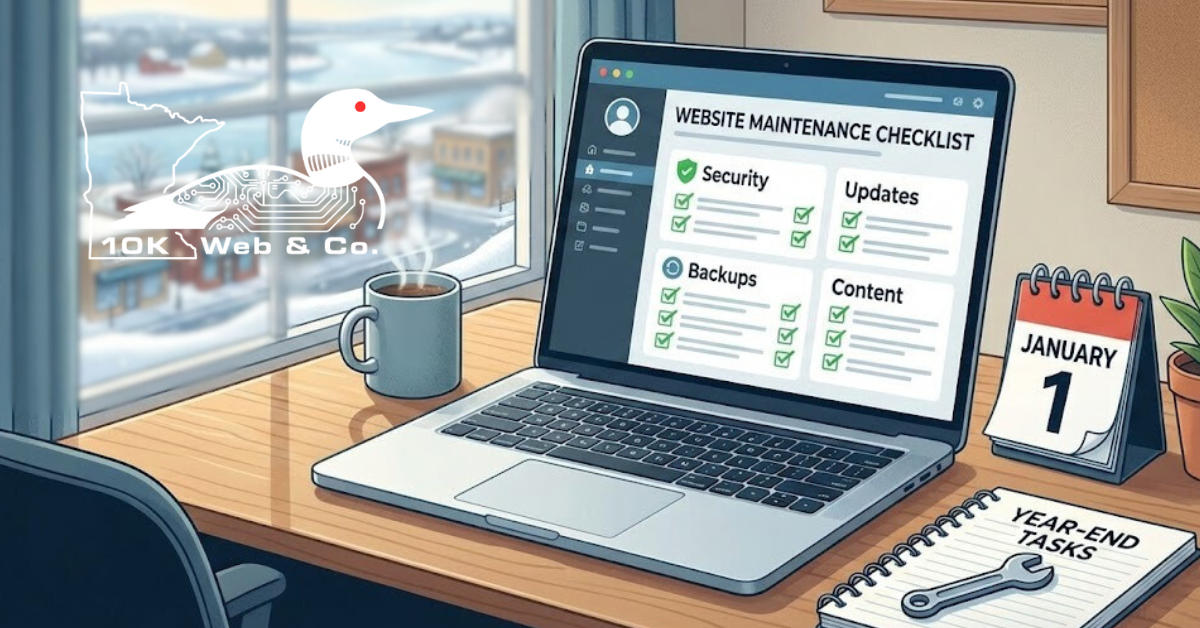
It’s that time of year again. The holidays are wrapping up, the snow is likely piling up outside your window here in Mankato, and you are probably making a list of goals for the coming year. While you might be focused on sales targets or hiring new staff, there is one digital asset that often gets overlooked until something breaks: your website.
When it comes to web design and hosting for small businesses, the “set it and forget it” mentality is the biggest trap you can fall into. A website isn’t a billboard that sits on the side of Highway 169 unchanged for three years. It is a living piece of software. It needs updates, security patches, and content refreshes to keep working for you.
We put together this checklist to help you start the new year with a clean slate. You don’t need to be a tech wizard to get through this list, but completing it will save you headaches (and potentially lost revenue) down the road.
Phase 1: The Security Sweep
Security isn’t just for big corporations. Small businesses in Blue Earth County are actually prime targets for automated bots and hackers because they often have weaker defenses. Let’s tighten that up.
1. Update Your Passwords
This sounds obvious, but when was the last time you changed your WordPress admin password? If you are still using “Mankato2023!” it is time for a change. Ensure every user with administrative access to your site updates their credentials. Better yet, force a password reset for everyone.
2. Enable Two-Factor Authentication (2FA)
If you haven’t turned this on yet, do it today. Adding 2FA to your login page is one of the single most effective ways to stop unauthorized access. Even if someone guesses your password, they can’t get in without the code on your phone.
3. Review User Access
Has an employee left your company in the last year? Maybe a freelancer you hired for a one-time project still has admin access? Go through your user list and delete or downgrade anyone who doesn’t need high-level access anymore. Limiting the number of cooks in the kitchen reduces your risk significantly.
4. Verify Your Backups
Imagine logging in tomorrow and your website is just… gone. Or replaced by a blank white screen. Do you have a recent copy to restore?
- Check the schedule: Ensure backups are running daily or at least weekly.
- Test the files: A backup file is useless if it’s corrupted. Try to download a recent backup to your computer to make sure the file actually exists and isn’t empty.
- Off-site storage: Make sure your backups aren’t stored on the same server as your website. If the server goes down, it takes your backups with it.
Phase 2: The Technical Tune-Up
Proper web design and hosting for small businesses involves keeping the engine running smoothly. Just like you wouldn’t drive your car through a Minnesota winter without checking the tires and fluids, don’t ignore your site’s technical health.
5. Update Plugins and Themes
If you are using WordPress, you probably see those little red notification circles on your dashboard. Do not ignore them. Outdated plugins are the number one entry point for hackers.
- Update your plugins one by one.
- Check your website after each update to make sure nothing broke.
- Delete any inactive plugins you aren’t using. They just take up space and add security risks.
6. Check for Broken Links
There is nothing more frustrating for a customer than clicking a link and seeing a “404 Not Found” error. It makes your business look neglected. You can use free online tools (like Broken Link Checker) to scan your site. If you link to other local businesses in North Mankato or St. Peter, make sure those businesses haven’t changed their URLs or closed down.
7. Test Your Site Speed
How fast does your site load on a 4G connection? Remember, not everyone in Southern Minnesota has fiber internet yet. If your site takes more than three seconds to load, you are losing customers.
- Compress images: Large photos are the usual culprit.
- Clear your cache: If you have a caching plugin, clear it out to ensure visitors are seeing the latest version of your site.
Phase 3: Content and Visuals
Now that the back end is secure, look at what your customers actually see. Whether you run a retail shop on Front Street or manage a professional office near Riverfront Drive, your digital information needs to match your physical reality.
8. Update the Copyright Year
Scroll down to the very bottom of your website. Does it still say “© 2023”? Nothing says “we might be out of business” quite like an outdated copyright footer. Change it to the current year immediately. It’s a small detail that builds trust.
9. Audit Your Contact Information
Did you change your phone hours? Did you stop taking calls on Fridays? Check your:
- Phone numbers
- Physical address (and map pin)
- Email addresses
- Operating hours
Make sure this information is consistent across your website, your Facebook page, and your Google Business Profile. Google hates inconsistent data and might lower your search ranking if your website says one thing and your Google Maps listing says another.
10. Review Your “Team” or “About” Page
If your “About Us” page features a photo of a manager who retired six months ago, or if it doesn’t list your newest hires, it’s time for a refresh. Local customers love seeing familiar faces. Keeping this page current shows you are active and engaged with the community.
11. Refresh Your Portfolio or Testimonials
If your “Latest Projects” section features work from three years ago, potential clients might wonder if you have done anything lately. Add a few recent examples of your work. Reach out to a few happy clients from the past year and ask for a quick review to add to your testimonials slider.
Phase 4: Functionality and User Experience
You know how your site is supposed to work, but does it actually work that way for a stranger?
12. The “Contact Form” Test
This is critical. Go to your website right now and fill out your own contact form.
- Does the success message appear?
- Do you actually receive the email in your inbox?
- Does it go to your spam folder?
We see this constantly happen: a business owner thinks business is slow, but really their contact form broke months ago and they had no idea.
13. Mobile Responsiveness Check
Pull out your smartphone. Not just your phone, but maybe borrow a friend’s device that has a different screen size (iPhone vs. Android). Browse your site.
- Are the buttons big enough to tap with a thumb?
- Is the text readable without zooming in?
- Do pop-ups cover the entire screen and make it impossible to close them?
Mobile traffic accounts for over half of all web visits. If your site is annoying to use on a phone, people will leave and go to a competitor.
14. Review Legal Pages
Privacy laws change, and compliance is becoming more important for small businesses. Ensure you have a Privacy Policy link in your footer. If you collect data (like email addresses or phone numbers), you need to tell people how you are using that data. It protects you and makes your business look professional.
Phase 5: Hosting and Infrastructure
Your website lives on a server (hosting). The quality of that hosting determines how fast, secure, and reliable your site is.
15. Evaluate Your Hosting Provider
Is your website down frequently? Is support impossible to reach? If you are paying a bargain-basement price for a massive conglomerate host, you are likely getting bargain-basement performance.
- Check your renewal rates: Big hosting companies love to hook you with a cheap first year and then triple the price.
- Assess support: If you had a problem last year, were they helpful? Or did you spend three hours in a chat queue?
At 10K Web, we specialize in web design and hosting for small business specifically in the Mankato area. We know that when your site is down, you are losing money. That’s why we focus on reliability and local support.
16. IT Support and Connectivity
While you are looking at your digital presence, it is a good time to look at your physical tech, too. Your website is only useful if your office internet works and your computers are running smooth.
If you have been struggling with slow office computers, printer network issues, or Wi-Fi dead zones in your building, don’t let that drag into the new year.
Many business owners hesitate to call for IT help because they are afraid of getting locked into a massive, expensive contract. We do things differently. We offer flexible IT support options for businesses in Mankato and the surrounding areas.
- No minimums.
- No long-term contracts.
- Pay-as-you-go support.
You can get your office tech sorted out without signing your life away.
Phase 6: SEO and Strategy
Finally, look forward. How are people finding you?
17. Check Your Keywords
Review your main service pages. Are you using terms that locals actually search for? Instead of just “Plumber,” are you using “Plumbing repair in Mankato” or “Emergency plumber Blue Earth County”?
- Review your page titles.
- Check your meta descriptions (the little blurb that shows up in Google results).
18. Plan Your Content
You don’t need to blog every day, but posting once a month can do wonders for your visibility. Make a rough plan. Maybe in February you write about winter maintenance for your industry. In May, you write about summer prep. A simple calendar prevents the “writer’s block” panic.
Why Maintenance Matters for Mankato Businesses
It is easy to push these tasks to the bottom of the pile. But in a community the size of Mankato, word of mouth travels fast—and that includes digital impressions. If a potential customer visits your site and sees broken images, a copyright from 2019, and a contact form that throws an error, they move on to the next option in Google Maps.
Taking two hours this week to run through this checklist protects your brand. It ensures that when the busy season hits, your digital storefront is ready to handle the traffic.
Whether you are in Eagle Lake, Lake Crystal, or right downtown, your website is often the first handshake you have with a customer. Make it a firm one.
Ready to get your site in shape?
If this list feels overwhelming, or if you logged into your WordPress dashboard and immediately wanted to log back out, you don’t have to handle it alone.
Looking for WordPress hosting and web design services built for small businesses in Mankato? We’d love to talk about your website goals and handle the technical maintenance for you. Visit 10K Web or reach out to our team today to start the new year right.